Dynamic price updates based on material or quantity
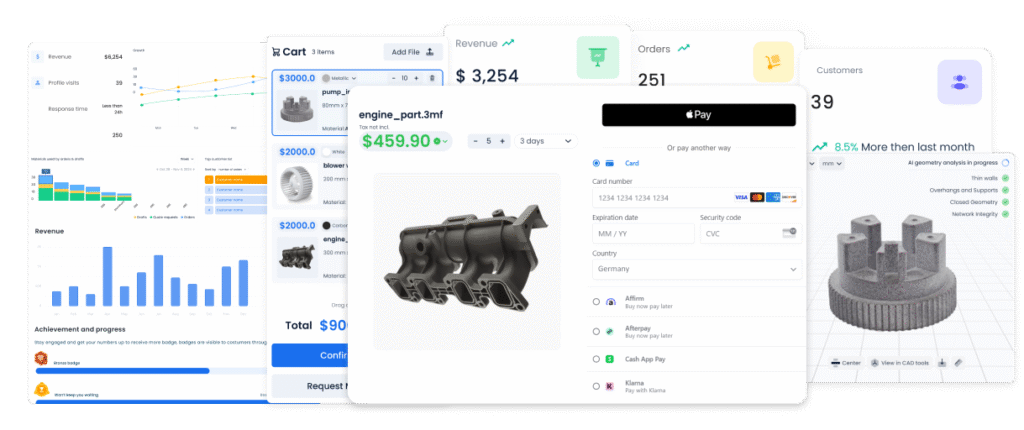
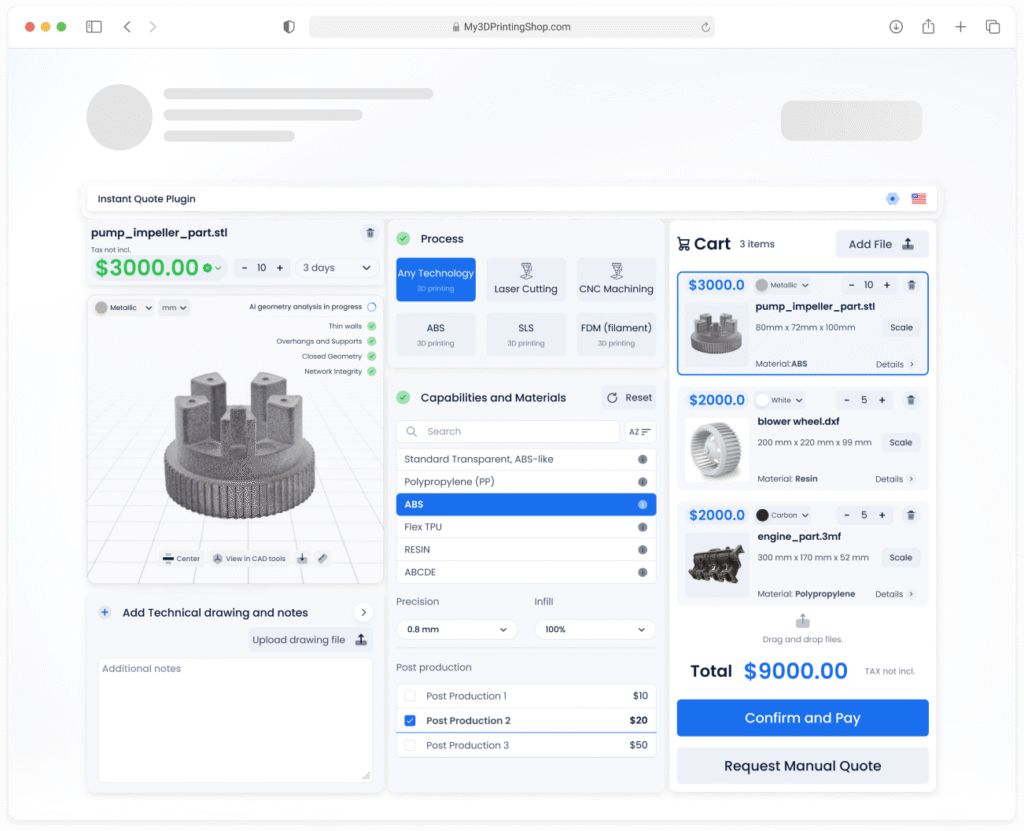
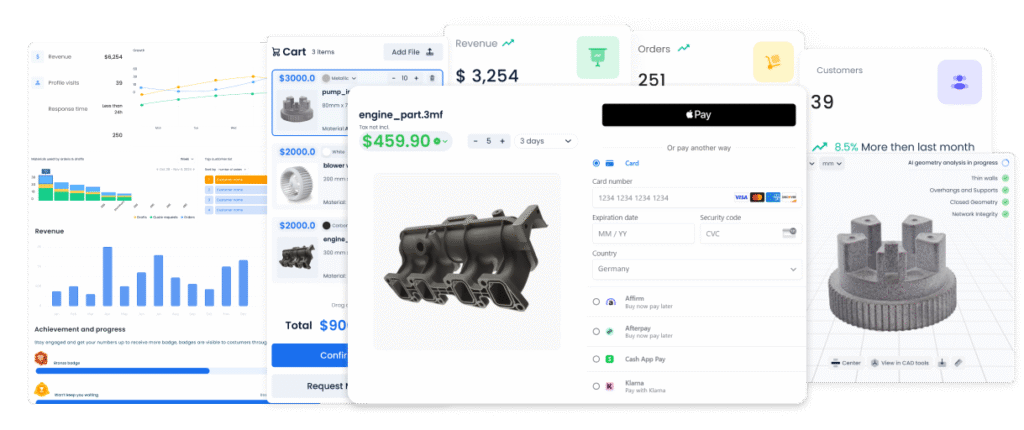
Customers change materials and quantities all the time while they decide. SeekMake recalculates the price instantly each time, using your own rules, so buyers always see the true cost of their choice.
Dynamic price updates based on material or quantity
Instant Quote
Switch from PLA to nylon, or from one part to fifty, and the quote updates immediately. Each figure comes from your material rates, machine time, setup fees and quantity breaks.
Online Payment
The price on screen at checkout is the price paid through your Stripe or PayPal account, so there is no confusion between a quote and the final charge. Customers who want to compare can reopen the quote and test other options.
Model Preview
Rotating the model and reading its dimensions helps buyers understand why size and volume move the price, which makes the changing numbers easier to trust.
Model Fixing
A file with holes, flipped normals or overlapping triangles can give an unreliable price. Automatic checks fix what they can first, so the dynamic figure rests on a clean model.
File Manager
With several parts in one order, each line has its own material and quantity, and each one updates the total separately as the customer adjusts settings.
Set the rules once and let prices follow them everywhere
Customers Manager
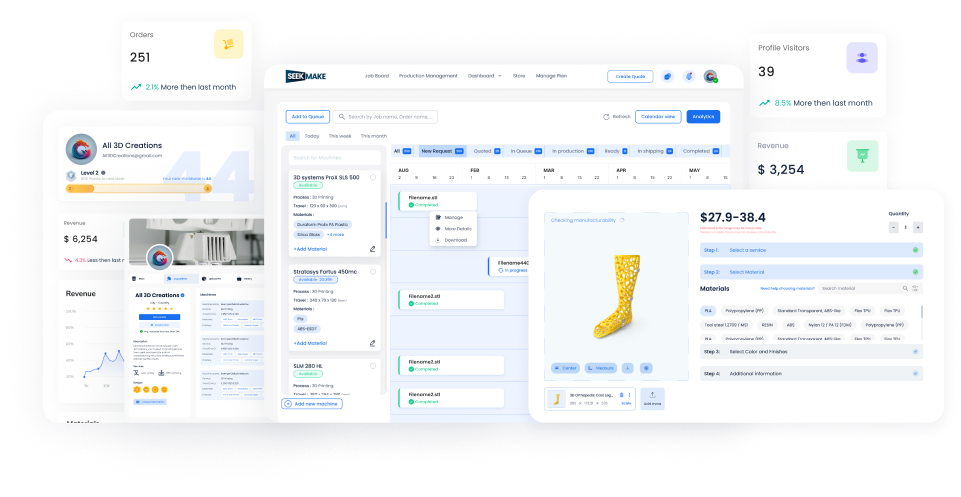
See which customers tried different materials and quantities before ordering, learning what they compare when they decide. Their history guides your future quantity breaks.
Discounts Manager
Add discounts that trigger by quantity or material, so a bigger order gets a visible saving in the live price.
Orders Manager
Orders keep the exact material and quantity the customer finally chose, so production matches the price that was paid.
Shipping Settings
Shipping rules respond to order size, so heavier or larger quantities show delivery costs that reflect the added weight.
Machines Manager
Machine rates feed the live price, so changing a machine rate updates every future quote right away. The change applies to future quotes only.
Materials Manager
Each material has its own price, and editing it changes what customers see the next time they pick that option.
Custom Pricing
Quantity breaks, setup fees and minimum order values form the core of dynamic pricing, and you edit them in plain fields.
Print Queue
Whatever quantity the customer settled on appears in the queue, so operators know how many to produce. Operators can plan machine time accurately.
Custom Automatic Emails
Emails repeat the final material and quantity, giving customers a clear written record of the price they accepted.
See live price updates on the free plan
The free plan lets you watch prices react to your own rules. Paid tiers expand the automation, customisation and support behind your pricing.