Recapture lost revenue by automating your quote follow-up process.
In the fast-paced world of manufacturing, especially in dynamic fields like 3D printing, time is money. You’re constantly juggling quote requests, design iterations, production runs, and shipping deadlines. It’s easy to let some tasks slip through the cracks. One of the most critical, and often overlooked, aspects of securing new business is following up on quotes.
Here’s a harsh reality: most manufacturers never follow up on the quotes they send out. Studies show that a staggering 30-50% of potential orders are lost simply because of a lack of consistent follow-up. Think about that – potentially half of your hard-earned leads are going to your competitors because you didn’t send a simple email or make a quick phone call. This isn’t just about missed opportunities; it’s about leaving money on the table that is rightfully yours.
Following up isn’t just polite; it’s profitable. A proactive follow-up strategy demonstrates your commitment to customer service, builds trust, and keeps your company top-of-mind. But with so much already on your plate, how can you possibly find the time to manually chase every quote?
The good news is that you don’t need to spend hours crafting individual follow-up emails. A simple, automated sequence of 3 emails can dramatically improve your quote conversion rate. Here’s a proven framework:
The key to success is to personalize these emails as much as possible. Use the customer’s name, reference their specific project requirements, and tailor your message to their industry. Even small touches of personalization can make a big difference.


Here are some example templates you can adapt for your own business. Remember to personalize them with the customer’s name and project details.
Email 1 (Day 1):
Subject: Checking In – Your [Your Company] Quote
Hi [Customer Name],
I just wanted to follow up on the quote we sent you yesterday for [Project Description]. I hope you had a chance to review it. Please let me know if you have any questions or need any clarification. We’re here to help!
Best regards,
[Your Name]
Email 2 (Day 3):
Subject: Did you know [Your Company] can [Specific Benefit]?
Hi [Customer Name],
Following up on the quote we sent over for [Project Description]. I wanted to highlight that our [Specific Technology] allows us to deliver [Specific Benefit, e.g., tighter tolerances, faster turnaround times, lower material costs]. This can significantly improve the final product while saving you money.
Check out this related case study: [Link to Case Study]
Let me know if you’d like to discuss this further.
Best regards,
[Your Name]
Email 3 (Day 7):
Subject: Last Chance: Special Offer on Your [Project Description] Quote
Hi [Customer Name],
This is a final follow-up regarding the quote we provided for [Project Description]. We understand you’re likely evaluating different options. To help you make a decision, we’d like to offer you [Discount or Special Offer] if you approve the quote by [Date].
Ready to move forward? Simply reply to this email, or call us at [Phone Number].
Best regards,
[Your Name]
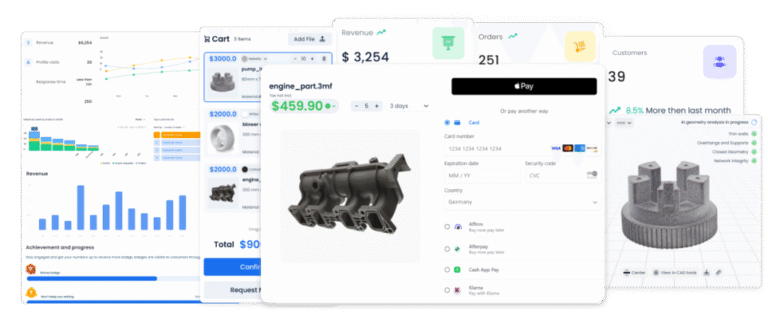
Manually sending these follow-up emails can be time-consuming and prone to errors. That’s where SeekMake comes in. Our platform is designed to streamline your entire quote process, including automated follow-up emails.
With SeekMake, you can easily create and schedule your 3-email follow-up sequence. The system will automatically send the emails at the specified intervals, without you having to lift a finger. You can customize the email templates, personalize the messages with customer data, and track the results to optimize your follow-up strategy.
Imagine the time and effort you’ll save by automating this crucial task. You’ll be able to focus on other important aspects of your business, knowing that SeekMake is working behind the scenes to recapture those lost opportunities. Best of all, you’ll recover that 30-50% of orders you were losing.
Automating your follow-up emails with SeekMake offers a multitude of benefits:
By implementing automated follow-up emails, you’re not just saving time; you’re investing in a more efficient, effective, and profitable sales process.
Setting up automated follow-up emails in SeekMake is quick and easy. Here’s a step-by-step guide:
That’s it! Once you’ve completed these steps, SeekMake will automatically send the follow-up emails to your customers. You can track the performance of your sequences in the reporting dashboard and make adjustments as needed.
If you need any assistance, our support team is always available to help. We’re committed to helping you succeed with SeekMake.
Key Takeaways